How to Group Taxonomies by Parent and Child on Single Post Template Voxel Theme

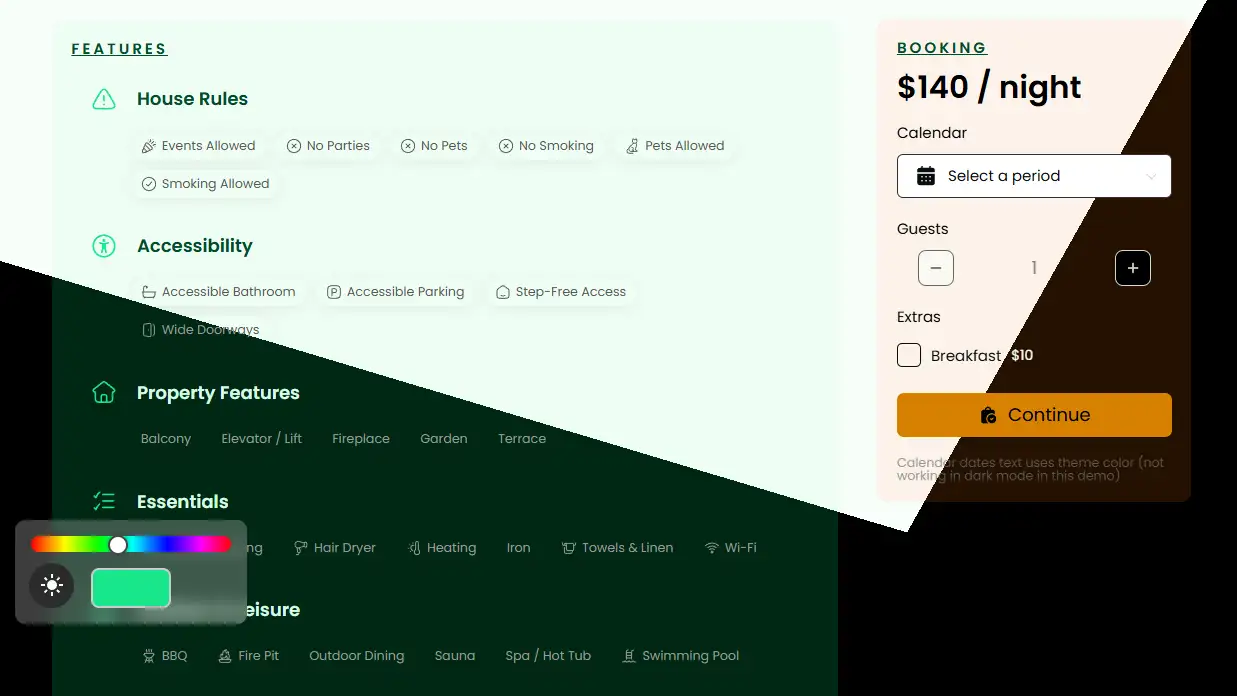
Displaying parent categories with their child categories grouped underneath in Voxel is difficult and not directly supported by default term feed options.

To achieve this, you need to use a term loop workaround that allows child terms to be looped inside a parent term preview. The steps below show how to do this using native Voxel features only, without custom code.

See a Live example here.

Step 1: Create a Custom Term Preview Card

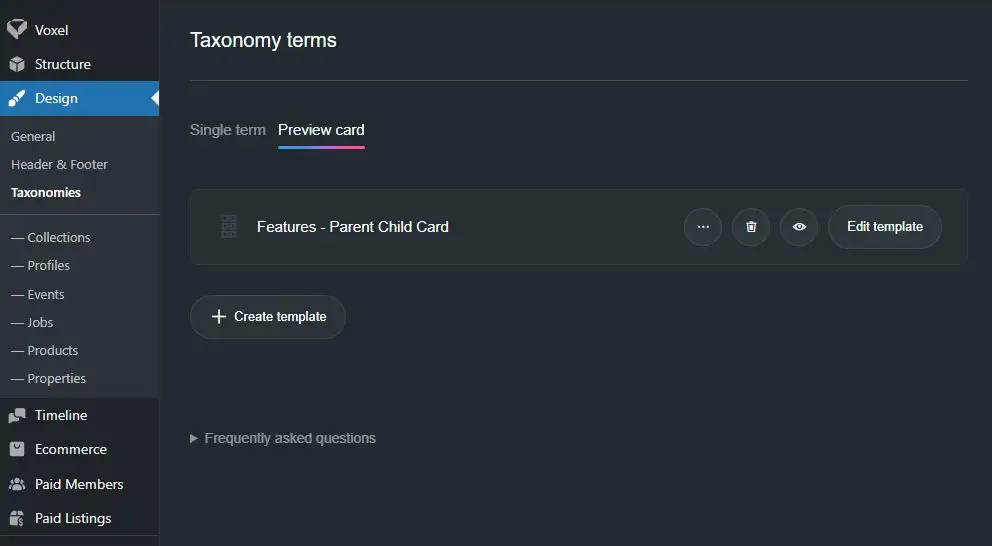
  1. Go to wp-admin → Design → Taxonomies → Preview Card
  2. Create a new Preview Card and give it a clear name, for example:
    “Taxonomy – Parent Child”

    This preview card will only work for one taxonomy, because the loop inside it is tied to that taxonomy.

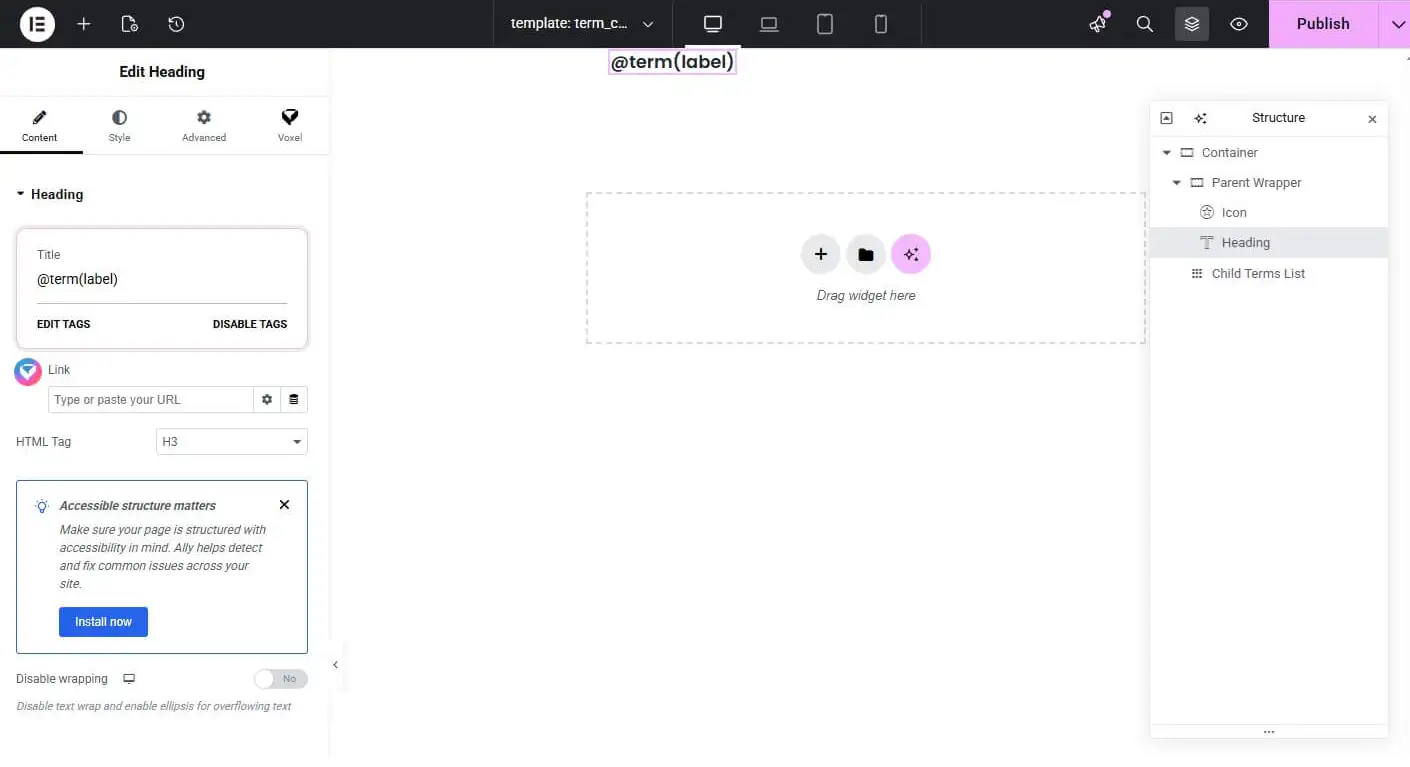
  3. Inside the preview card:
    • Add an Icon set to the dynamic tag @term(icon)
    • Add a Heading set to the dynamic tag @term(label)

      This displays the parent category information.

Step 2: Copy a Configured Actions Widget (Important)

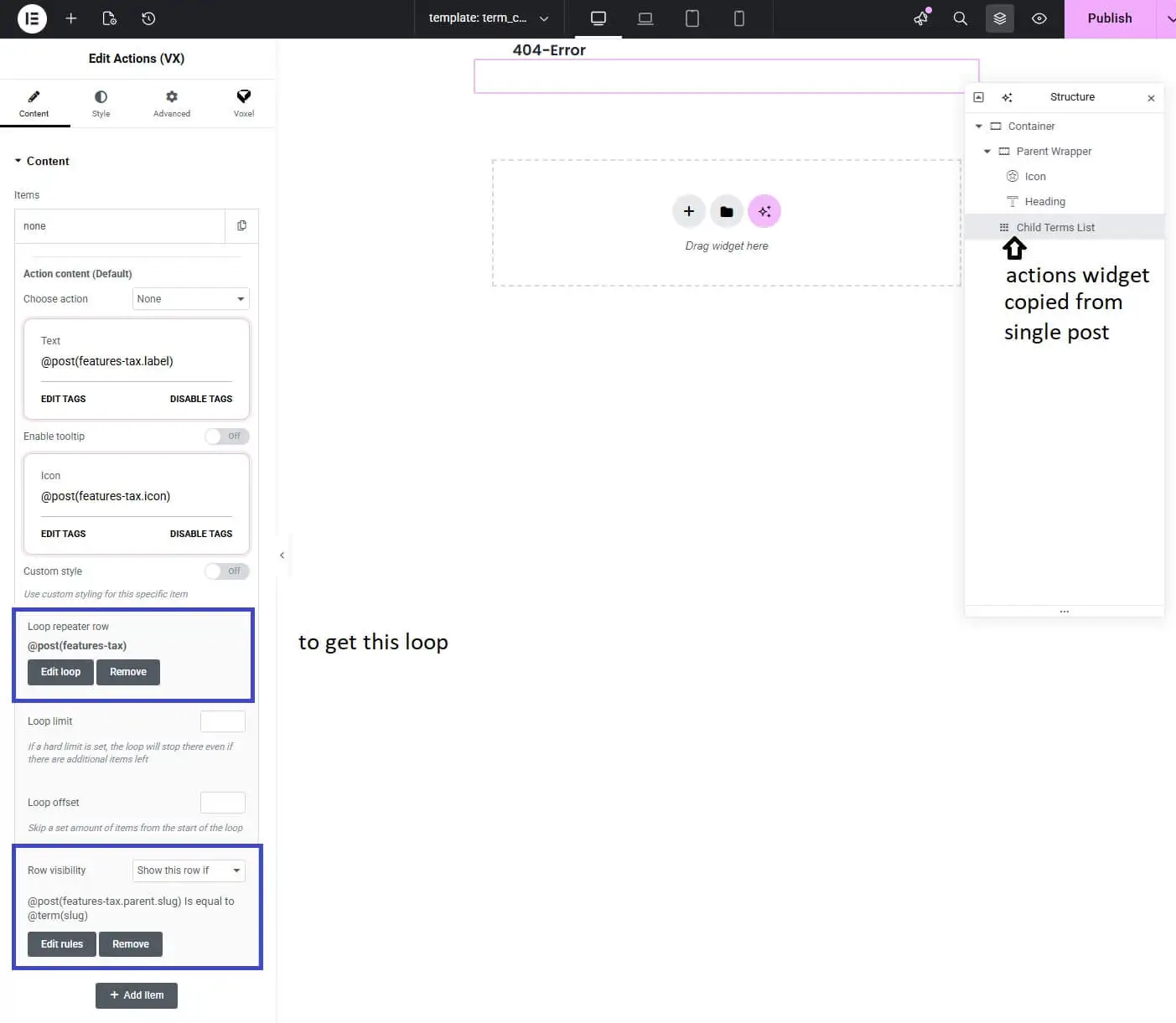
Post categories can’t be looped directly inside a term preview card — the loop needs to be set up from a Single Post template.

  1. Open your Single Post template
  2. Add an Actions widget
  3. Configure it to your chosen taxonomy:
    • Text uses @post(your-taxonomy-field-key.label)
    • Icon uses @post(your-taxonomy-field-key.icon)
    • Loop uses @post(your-taxonomy-field-key)

      The most important part is setting the post taxonomy loop. This cannot be configured inside a term preview card.

  4. Copy this fully configured Actions widget

Step 3: Paste the Actions Widget into the Term Preview Card

  1. Go back to your custom Term Preview Card
  2. Paste the copied Actions widget into the layout
  3. Confirm the loop is still set to the post taxonomy field

Unleash Dynamic Data with Voxel!

With Voxel’s design flexibility, the possibilities are endless. Get Voxel here!

Step 4: Filter Child Categories by Parent

  1. Select the Actions widget with the @post loop
  2. Set the row Visibility to show only when the post taxonomy’s parent slug is equal to the current term slug
    • @post(your-taxonomy-field-key.parent.slug) is equal to @term(slug)

      This condition ensures only child categories whose parent matches the current category are shown.

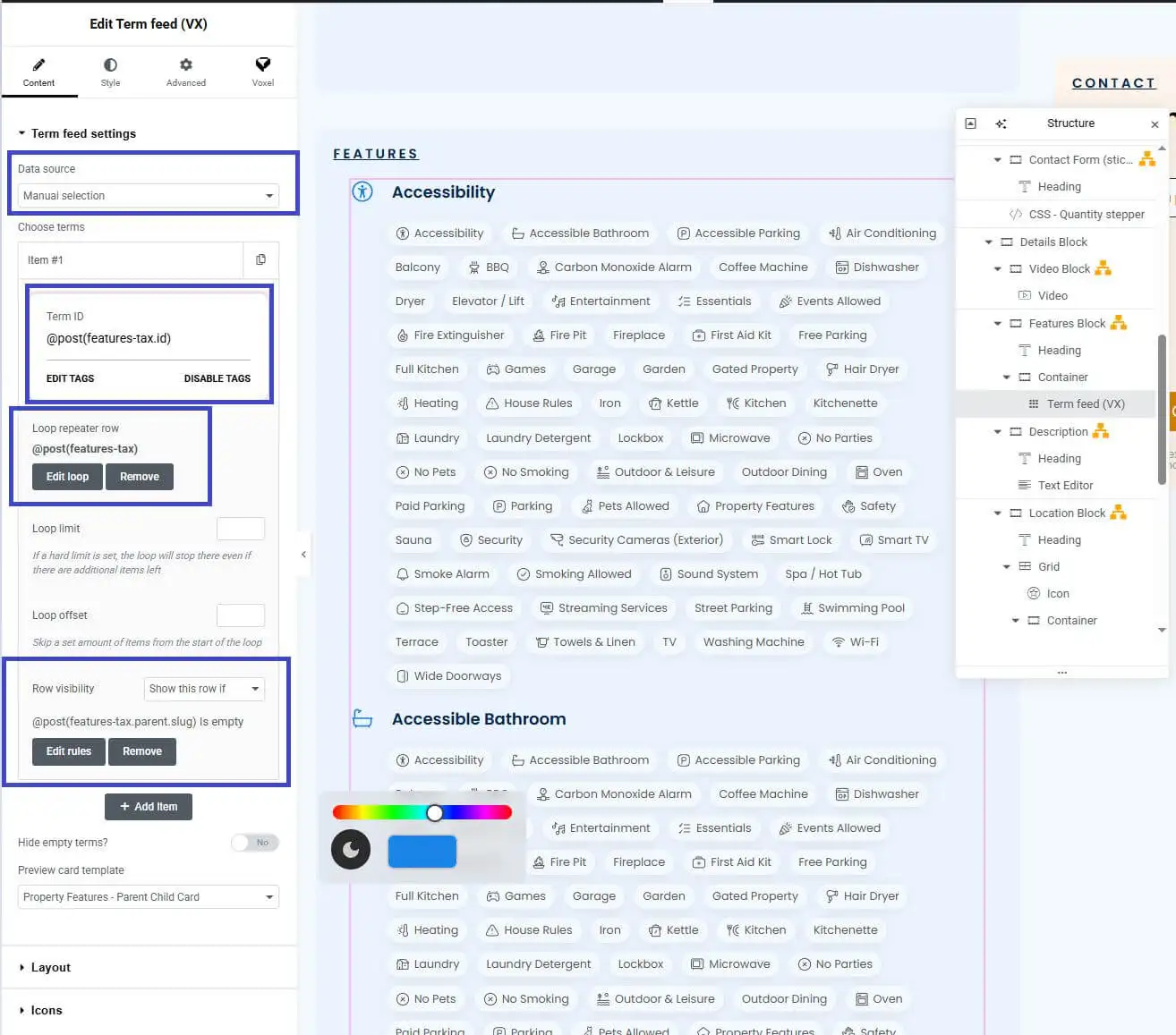
Step 5: Show Only Parent Categories on the Single Post Template

  1. Open the Single Post template where categories should appear
  2. Add a Term Feed
  3. Set the data source to Manual
  4. Add one item only, with the Term ID set to the post taxonomy ID
  5. Loop this item based on the chosen taxonomy
  6. Set row Visibility to show only when the taxonomy’s parent slug is empty
    • @post(your-taxonomy-field-key.parent.slug) is empty

      If the parent slug is empty, the term itself is a parent.

  7. Assign your “Taxonomy – Parent Child” Preview Card to the term feed

The Result

You now have:

  • Parent categories listed once
  • Their child categories shown underneath
  • Clean, grouped layout
  • Fully native Voxel — no code

See more templates here.

More Articles

Voxel Framework is a new WordPress plugin in development that brings Voxel’s features to Bricks Builder and Gutenberg. While Voxel can create custom post types, taxonomies, and custom fields — and supports powerful dynamic data, conditional logic, and visibility rules — its real value goes far beyond content structure. Details below are speculative based on […]